
How To Login Fast Win Account – Complete Step-by-Step Guide

Logging in to your Fast Win account is the first step to accessing live cricket betting, colour prediction games, casino rounds, and fast UPI payouts. This complete guide covers how to login to your Fastwin account on mobile and desktop, what to do if login fails, how to recover forgotten credentials, and how to keep your account safe after every session.

Whether you are a new player logging in for the first time or an experienced bettor returning after a break — this guide gives you everything you need to log in quickly, securely, and without confusion.

How to Login to Fast Win Account – Quick Answer

Fastwin Login in 4 Steps

  1. Open the official Fastwin website: fastwinss.com/fastwin-login
  2. Enter your registered Fastwin ID (username) in the Username field
  3. Enter your password in the Password field
  4. Click the Login button — you will be redirected to your account dashboard instantly

If you do not have a Fastwin ID yet, register via WhatsApp first. Account setup takes under 5 minutes.

For full step-by-step login instructions including mobile login, Demo ID login, OTP login, and troubleshooting — read the complete guide below.

What Is Fastwin Login?

Fastwin Login is the secure authentication process that gives registered Indian players access to their personal Fastwin betting account. Once you log in, your full dashboard opens — showing your wallet balance, available games, bet history, bonus credits, and withdrawal options.

The Fastwin login page is accessible from any browser on any device. No separate app installation is required to log in — your Fastwin ID works directly from your smartphone or laptop browser.

What You Can Do After Logging In

  • Place live bets on IPL, cricket, football, and other sports
  • Play colour prediction games, minesweeper, parity rounds, and casino games
  • Deposit funds via UPI, PhonePe, Paytm, or Google Pay
  • Withdraw winnings to your bank account
  • Claim bonuses, view bet history, and check transaction records
  • Contact 24/7 WhatsApp support from within the platform

Who Needs to Login?

Any player who has already received a Fastwin ID and password through WhatsApp registration needs to login to access the platform. If you have not registered yet, you must get a Fastwin ID first before you can log in.

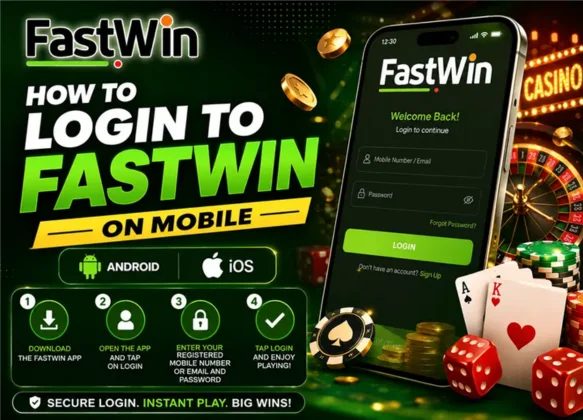
What Is Fastwin Login

How to Login to Fastwin Account – Full Step-by-Step Process

Follow these steps exactly to log in to your Fastwin account safely and quickly from any device. The entire process takes under 30 seconds once you have your credentials.

1

Open the Official Fastwin Login Page

Open your browser (Chrome, Firefox, Safari, or any mobile browser) and go to the official Fastwin website. Navigate to the Login section — the direct login URL is fastwinss.com/fastwin-login. Always make sure you are on the correct official domain before entering any credentials.

💡 Bookmark the official Fastwin login URL after your first login to avoid fake sites.
2

Enter Your Fastwin ID in the Username Field

In the Username field, type your Fastwin ID exactly as provided by your registration agent via WhatsApp. Your Fastwin ID is case-sensitive — enter it exactly as received. Do not add spaces before or after the ID.

💡 Copy-paste your Fastwin ID directly from your WhatsApp registration message to avoid typos.
3

Enter Your Password

In the Password field, enter the password linked to your Fastwin account. If you are logging in for the first time, use the default password provided during WhatsApp registration. If you have changed your password before, use your updated password.

💡 If this is your first login, change your password immediately after accessing your dashboard.
4

Click the Login Button

Click the Login button to submit your credentials. The system will verify your Fastwin ID and password against your registered account. Verification typically completes within 1–2 seconds on a stable internet connection.

5

Access Your Fastwin Dashboard

After successful login, you are redirected to your personal Fastwin dashboard. Here you can see your wallet balance, access all games, make deposits, request withdrawals, and view your full betting history. You are now fully logged in.

💡 Check your balance and any active bonus credits before placing your first bet of the session.
6

Change Your Password (First-Time Login Only)

If this is your first login with the default password received on WhatsApp, go to your account settings immediately and set a new strong password. Choose a combination of uppercase letters, lowercase letters, numbers, and symbols. Your new password should be something only you know.

💡 Never use your name, date of birth, or phone number as your Fastwin password.
How to Login to Fastwin on Mobile – Android and iOS

How to Login to Fastwin on Mobile – Android and iOS

The majority of Indian Fastwin players log in from smartphones. The Fastwin login process on mobile is identical to desktop — no app download is required for basic login access.

Mobile Login Steps

  1. Open Chrome, Safari, or any browser on your Android or iOS phone
  2. Type fastwinss.com in the address bar or open your saved bookmark
  3. Tap the Login button at the top of the page
  4. Enter your Fastwin ID in the Username field
  5. Enter your password in the Password field
  6. Tap Login — your dashboard loads within seconds

Mobile Login Tips for Indian Players

  • Add to Home Screen: In Chrome, tap the three-dot menu and select "Add to Home Screen" to create a one-tap login shortcut on your phone
  • Use Mobile Data: Avoid logging in on public Wi-Fi for payment and account security
  • Auto-Fill Caution: If using browser auto-fill for passwords, make sure your phone has a screen lock enabled
  • Network Check: If login loads slowly, switch between mobile data and Wi-Fi to identify the faster connection

Does Fastwin Have a Downloadable App?

If an official Fastwin app is available, your registration agent provides the verified APK download link via WhatsApp. Never download Fastwin from Google Play Store listings, third-party APK sites, or Telegram links not provided by your official agent — these may be fake apps designed to steal your credentials.

Fastwin Demo ID Login – Try Before You Bet

Fastwin offers a Demo ID login option for players who want to explore the platform before committing real money. A Demo ID gives you simulated access to games and the betting interface without using actual funds.

What Is a Fastwin Demo ID?

  • A pre-set username and password for exploring Fastwin without real-money risk
  • Gives access to the game interface, betting markets, and platform layout
  • Winnings from demo play are not withdrawable — demo credit only
  • Ideal for new players who want to understand game mechanics before depositing

How to Login With a Fastwin Demo ID

  1. Visit the official Fastwin login page
  2. Click the "Login with Demo ID" button on the login screen
  3. You will be connected to a demo session via WhatsApp or directly redirected
  4. Explore colour prediction, minesweeper, parity games, and casino sections
  5. When ready to play with real money, contact WhatsApp support to activate your personal Fastwin ID

Demo ID vs Real Fastwin ID — Key Differences

FeatureDemo ID LoginReal Fastwin ID Login
Real Money BetsNoYes
WithdrawalsNot availableAvailable (UPI within 30 min)
BonusesNot applicable₹20 welcome + reload offers
Game AccessLimited demo modeFull access to all games
Bet HistorySession onlyPermanent account record
SupportGeneral enquiriesDedicated personal agent

Demo ID login is the right starting point for players who are new to online betting platforms and want to build confidence before using real funds.

Fastwin Login Not Working – Fix Every Problem

If your Fastwin login is not working, use this quick-reference troubleshooting guide to identify and fix the issue within minutes. Most login problems have simple solutions.

⚠ Wrong Username or Password
Double-check your Fastwin ID and password for typos. Your ID is case-sensitive. Copy-paste from your WhatsApp registration message instead of typing manually. If you cannot find your original credentials, contact WhatsApp support for a reset.
⚠ Page Not Loading
Check your internet connection. Switch between mobile data and Wi-Fi to find the faster network. Try clearing your browser cache (Settings → Privacy → Clear Cache) and reload the page.
⚠ Login Page Error or 404
You may be on an incorrect or outdated URL. Always use the official Fastwin login URL: fastwinss.com/fastwin-login. If the page shows an error, try a different browser or device.
⚠ Account Temporarily Locked
Fastwin locks accounts after multiple failed login attempts as a security measure. Wait 15–30 minutes before trying again. If the account remains locked, contact Fastwin WhatsApp support to unlock it manually.
⚠ Password Not Accepted
If your correct password is not being accepted, your account password may have been changed or reset. Contact WhatsApp support immediately and verify your identity with your registered mobile number to regain access.
⚠ Session Keeps Timing Out
Session timeouts happen on slow networks or after extended inactivity. Save your work before stepping away. Log in again after a timeout — this is a normal security feature, not an error.
⚠ Browser Compatibility Issue
Fastwin works best on updated versions of Chrome, Firefox, and Safari. If you are using an outdated browser, update it first. Disable any VPN or ad-blocker extensions that may interfere with the login process.
⚠ OTP Not Received
If an OTP is required and not received, wait 60 seconds and request a resend. Check that your registered mobile number is active and has network coverage. If still not received, contact WhatsApp support.
⚠ Fastwin Login Link Sent by Agent Not Working
Some login links sent by agents have an expiry time. Request a fresh login link from your WhatsApp support agent. Do not attempt to modify or reuse expired links.

Forgot Fastwin Password – How to Recover Your Account

Forgetting your Fastwin login password happens — especially if you changed the default password after registration and did not save it. Here is the exact process to recover your Fastwin account access.

Fastwin Password Recovery Steps

  1. Go to the Fastwin login page at fastwinss.com/fastwin-login
  2. Do not attempt multiple wrong passwords — this may temporarily lock your account
  3. Contact Fastwin WhatsApp support using the official support number provided during registration
  4. Provide your registered mobile number — this is the primary identity verification method
  5. Complete verification — the support agent will confirm your identity through a short verification process
  6. Receive your reset password — a temporary new password will be sent via WhatsApp
  7. Login with the new password and immediately change it to a personal password from your account settings

What Information You Will Need for Password Recovery

  • Registered mobile number linked to your Fastwin ID
  • Full name as provided during registration
  • Approximate account creation date (if possible)
  • Last deposit amount (helps verify account ownership)

⚠ Password Recovery Safety Warning

Only contact Fastwin support through the official WhatsApp number provided during your registration. Never share your new password, OTP, or UPI PIN with anyone — including people claiming to be Fastwin agents on Telegram, Instagram, or unknown numbers.
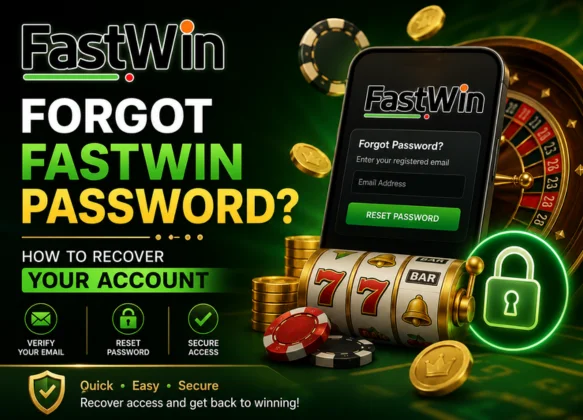
Forgot Fastwin Password – How to Recover Your Account

Fastwin Login Security – How Your Account Is Protected

Fastwin uses multiple layers of security to protect every player's login, account data, and funds. Here is a transparent breakdown of the security features active on every Fastwin account.

🔒

SSL Encryption

All data transmitted during login — including your Fastwin ID and password — is encrypted using industry-standard SSL (Secure Sockets Layer) protocols. Your credentials are never sent in plain text.

🛡️

Session Security

Each login creates a unique encrypted session token that expires after inactivity. This prevents unauthorized users from accessing your account if you forget to log out on a shared device.

🚫

Brute-Force Protection

Fastwin automatically locks accounts after multiple failed login attempts. This prevents automated password-guessing attacks from compromising your account.

📱

Mobile Number Verification

Your Fastwin ID is permanently linked to your registered Indian mobile number. Any suspicious account activity can be reported and verified through this number.

🔑

Agent-Assisted Authentication

The WhatsApp-based account system means only you and your verified agent can initiate account-level changes. No anonymous third party can reset or modify your account without identity verification.

📋

Full Audit Trail

Every login, bet, deposit, and withdrawal is logged and available in your account history. You can review all activity at any time to detect any unauthorized access.

After Fastwin Login – What to Do Next

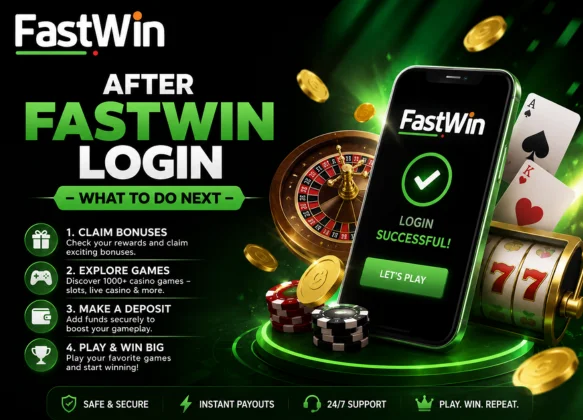
After Fastwin Login – What to Do Next

Once you are successfully logged in to your Fastwin account, here is a recommended order of actions to get the most out of every session — especially for new players logging in for the first time.

First-Time Login Checklist

  • ✅ Change your default password to a personal, strong password
  • ✅ Verify your wallet balance and any welcome bonus credits
  • ✅ Review the active games and betting markets available
  • ✅ Save the official login URL as a browser bookmark
  • ✅ Note the WhatsApp support contact for quick access
  • ✅ Set a session budget before placing your first bet

Making Your First Deposit After Login

  1. Go to the Deposit section in your dashboard
  2. Select your payment method — UPI, PhonePe, Paytm, or Google Pay
  3. Enter the deposit amount (minimum ₹200)
  4. Complete the payment from your UPI app
  5. Balance reflects in your Fastwin wallet within minutes

Claiming Your Welcome Bonus After First Login

New players receive a ₹20 welcome bonus that is credited automatically. Check your wallet immediately after login — the bonus should already be visible. For the first-deposit bonus, confirm current terms with your WhatsApp support agent before depositing.

Logging Out Safely

Always log out of your Fastwin account after every session — especially on shared or public devices. Go to your account menu and select "Logout." Do not simply close the browser tab, as your session may remain active.

Fastwin Login vs Fastwin Registration – What Is the Difference?

Many new users confuse the Fastwin login process with the registration process. Here is a clear explanation of both.

Fastwin Registration (First-Time Setup)

  • Registration creates your Fastwin account for the first time
  • Done through WhatsApp — send your name and mobile number to the support agent
  • Takes 3–5 minutes from first contact to receiving your Fastwin ID and password
  • You only register once — your Fastwin ID is permanent
  • After registration, you receive your ₹20 welcome bonus

Fastwin Login (Every Time After Registration)

  • Login gives you access to your existing Fastwin account every time you want to bet
  • Done on the Fastwin login page using your ID and password
  • Takes under 10 seconds from page open to dashboard access
  • You log in every session — multiple times a day if needed
  • Login does not affect your existing balance or betting history

Key Rule: Have You Received a Fastwin ID?

If you have already received a Fastwin ID and password via WhatsApp, you need to Login. If you have never registered on Fastwin before, you need to Register first through WhatsApp before you can log in.

Responsible Gaming – Safe Login Habits for Fastwin Players

Responsible gaming starts with responsible login habits. How you manage your Fastwin login access directly impacts your safety and your betting experience.

Safe Login Habits

  • Use only personal devices — never log in on a friend's phone, internet café computer, or any shared device
  • Always log out after sessions — especially on mobile phones that others may use
  • Use a unique password — do not reuse passwords from other accounts or platforms
  • Enable phone screen lock — prevents others from accessing your Fastwin session if your phone is unlocked
  • Do not log in under stress — avoid logging in when emotionally agitated, as this can lead to impulsive betting decisions

Controlling Your Betting After Login

  • Set a daily betting budget before every login session
  • Review your bet history and spending after every session
  • Use deposit limit controls available in account settings
  • Contact WhatsApp support if you want to activate self-exclusion
  • Take breaks — you do not need to log in every day

Fastwin is for players aged 18 and above only.

If you believe someone underage has access to a Fastwin account, contact WhatsApp support immediately. Fastwin takes responsible gaming seriously and will take immediate action to protect minors.

Ready to Login? Access Your Fastwin Account Now

You now have everything you need to log in to your Fastwin account safely, quickly, and confidently. Whether it is your first login or your hundredth, the process is always the same — open the login page, enter your Fastwin ID and password, and you are in.

Login Summary

  • Visit fastwinss.com/fastwin-login
  • Enter your Fastwin ID (username) and password
  • Click Login — dashboard opens within seconds
  • Check balance, claim bonuses, and start betting

Don't Have a Fastwin ID Yet?

If you have not registered on Fastwin yet, creating your account takes less than 5 minutes via WhatsApp. Click the button below to get started, share your name and number, and receive your Fastwin ID instantly.

Need Help With Login?

If you face any login issue — wrong password, locked account, forgotten ID, or page error — Fastwin's 24/7 WhatsApp support team is available to resolve it in minutes. Use the official contact number provided during your registration.

Frequently Asked Questions – How to Login to Fastwin Account

To login to your Fastwin account, open fastwinss.com/fastwin-login in any browser, enter your registered Fastwin ID in the Username field, enter your password, and click the Login button. Your dashboard will open within seconds.

Your Fastwin login username is the unique Fastwin ID sent to you via WhatsApp during registration. It is typically a combination of letters and numbers assigned by your support agent. If you cannot find it, check your WhatsApp registration message or contact Fastwin support.

If Fastwin login is not working, first check your internet connection and verify your ID and password are correct. Clear your browser cache and try again. If the problem continues, contact the official Fastwin WhatsApp support team — they will resolve login issues within minutes.

To recover a forgotten Fastwin password, contact Fastwin WhatsApp support with your registered mobile number and name. The agent will verify your identity and send a reset password to you directly on WhatsApp within minutes.

Yes. Fastwin login works on any mobile browser — Chrome, Safari, Firefox — without downloading any app. Open fastwinss.com on your phone, go to the Login section, enter your credentials, and access your account directly from the browser.

Yes. Fastwin login is secured by SSL encryption, session-based security tokens, and brute-force protection. Your Fastwin ID is linked to your verified mobile number, making unauthorized access very difficult. Always use the official Fastwin URL and never share your password with anyone.

Fastwin Demo ID login allows new players to explore the platform with simulated credit before registering for a real account. Click 'Login with Demo ID' on the login page. Demo winnings are not withdrawable — they are for practice only.

Fastwin accounts are linked to your credentials, not a specific device. You can log in from different devices, but it is recommended to log out from all other devices when logging in on a new one for security reasons.

To logout from Fastwin, go to your account menu after login and select the Logout option. Always log out after every session — especially on shared devices — to prevent unauthorized access to your account and funds.

If you registered via WhatsApp but did not receive your Fastwin ID, check your WhatsApp message history with the official Fastwin support contact. If you still cannot find it, message the support team again with your name and registered mobile number and they will resend your credentials.

Scroll to Top